 Velo Workspaces
Velo Workspaces, the app this site is about, does all of this for you. Everything below works with any hypervisor, and the files are plain Subiquity and Anaconda. Written with the help of an AI assistant, and reviewed by me.
Cloud images are the fastest way to a Linux VM, and I use them whenever I can. Sometimes they're not enough, though. You want Ubuntu Desktop or Fedora Workstation, or a disk laid out by the distribution's own installer, or simply the same ISO your team installs on real hardware.
Then you're back to clicking through an installer. The usual way to automate that is network boot: a PXE or HTTP server that hands the installer its answer file. On a laptop, for a VM you'll throw away next week, that's a lot of infrastructure.
You don't need it. Ubuntu's and Fedora's installers both look for their answers on a disk with a particular volume label, with nothing on the kernel command line. Getting from there to a truly hands-free install took me a few more steps than I expected. This post is about those steps.
The shape: a tiny disk with the right label
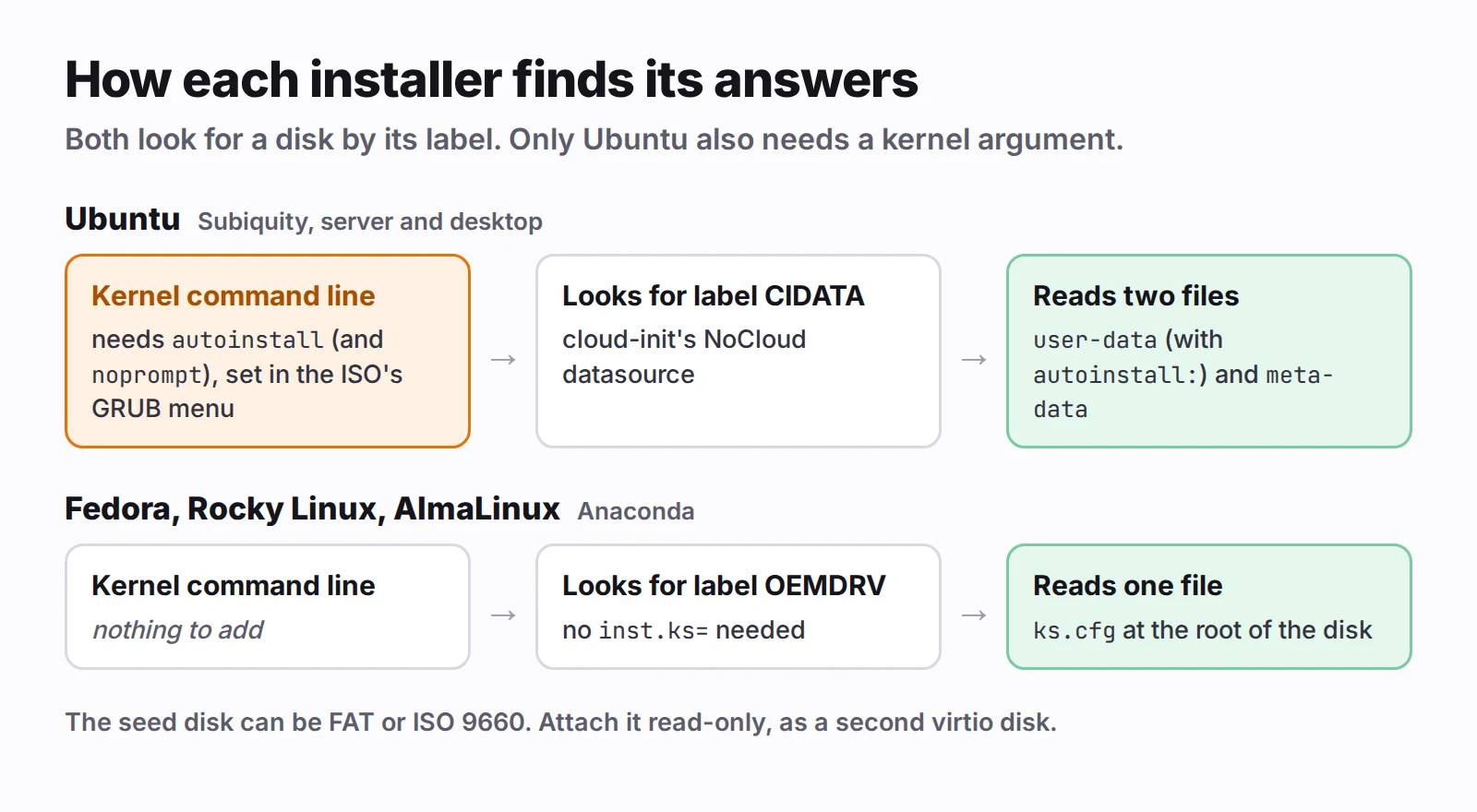
Both installers scan the attached disks at boot for a filesystem with a known label:
- Ubuntu's Subiquity uses cloud-init's NoCloud datasource. It reads
user-dataandmeta-datafrom a volume labelledCIDATA, and the autoinstall config lives insideuser-data. - Anaconda (Fedora, Rocky Linux, AlmaLinux, RHEL) reads
ks.cfgfrom the root of a volume labelledOEMDRV. Noinst.ks=needed.
 Click to enlarge
The documented recipe for these disks is an ISO made with genisoimage, but FAT works just as well for both. On Linux, with dosfstools and mtools:
truncate -s 32M seed.img
mkfs.vfat -n CIDATA seed.img
mcopy -i seed.img user-data meta-data ::

truncate -s 32M ks.img
mkfs.vfat -n OEMDRV ks.img
mcopy -i ks.img ks.cfg ::
On a Mac, with nothing to install:
hdiutil makehybrid -o seed.iso -iso -joliet -default-volume-name cidata seed/
where seed/ is a folder holding the two files. Use OEMDRV and a folder with ks.cfg for Anaconda.
Attach it to the VM as a second, read-only virtio disk, next to the ISO and the empty target disk. That's the whole mechanism. The rest is what goes in the files, and what the installers do with them.
Ubuntu: autoinstall, and the question it still asks
Here is a complete user-data for an Ubuntu Server install, with placeholders:
#cloud-config
autoinstall:
  version: 1
  locale: "en_US.UTF-8"
  keyboard:
    layout: "us"
  timezone: "Europe/Berlin"
  identity:
    hostname: "devbox"
    username: "you"
    password: "$6$...a crypt hash..."
  ssh:
    install-server: true
    allow-pw: false
    authorized-keys:
      - "ssh-ed25519 AAAA... you@laptop"
  storage:
    layout:
      name: direct
      match:
        size: largest
  late-commands:
    - "curtin in-target -- sh -c 'echo \"datasource_list: [ None ]\" > /etc/cloud/cloud.cfg.d/99-local.cfg'"
And meta-data is just:
instance-id: devbox-001
local-hostname: devbox
Three details that cost me time:
password is a crypt hash, never the password. openssl passwd -6 makes one. On a Mac, use OpenSSL 3 from Homebrew: macOS's own crypt(3) only does old DES.
match: size: largest picks the biggest disk. That's your target disk only if it's bigger than the ISO, which is attached as a disk too. Give the VM a few gigabytes more than the ISO's size, or match on something else.
The late command is housekeeping. The installed system also has cloud-init. On its first boot the seed disk is gone, and cloud-init would otherwise probe every cloud it knows before giving up. datasource_list: [ None ] tells it there's nothing to find.
Boot that, and the install still stops at:
Continue with autoinstall? (yes|no)
This is on purpose. Autoinstall erases disks, so Subiquity won't run it just because it found a config on some disk. It wants a second signal that you meant it: the word autoinstall on the kernel command line. Ubuntu's desktop installer asks for its own confirmation for the same reason.
That means editing GRUB's menu on the ISO. The usual way is to repack the ISO with xorriso or a tool like livefs-editor. I didn't want to write a new multi-gigabyte file for every VM, so I edit a copy in place instead.
ISO 9660 stores each file as one contiguous extent with a recorded length, and FAT records a file's length in its directory entry. If the rewritten grub.cfg is exactly as long as the original, nothing else in the image changes. The rewrite keeps only the first menu entry, sets timeout=0, and adds the arguments to its linux line. Dropping the other entries makes the text shorter, so it's padded back to the original length with a comment line.
On a Mac the copy is an APFS clone, so it costs no time and no disk space. On Linux, cp --reflink does the same on Btrfs or XFS.
Two kernel arguments go in: autoinstall, and noprompt. The second stops casper waiting for someone to remove the installation medium at the final reboot.
Ubuntu's signed GRUB reads /boot/grub/grub.cfg from the ISO's own filesystem; its EFI partition holds only the loaders. That's the file to rewrite.
 Click to enlarge
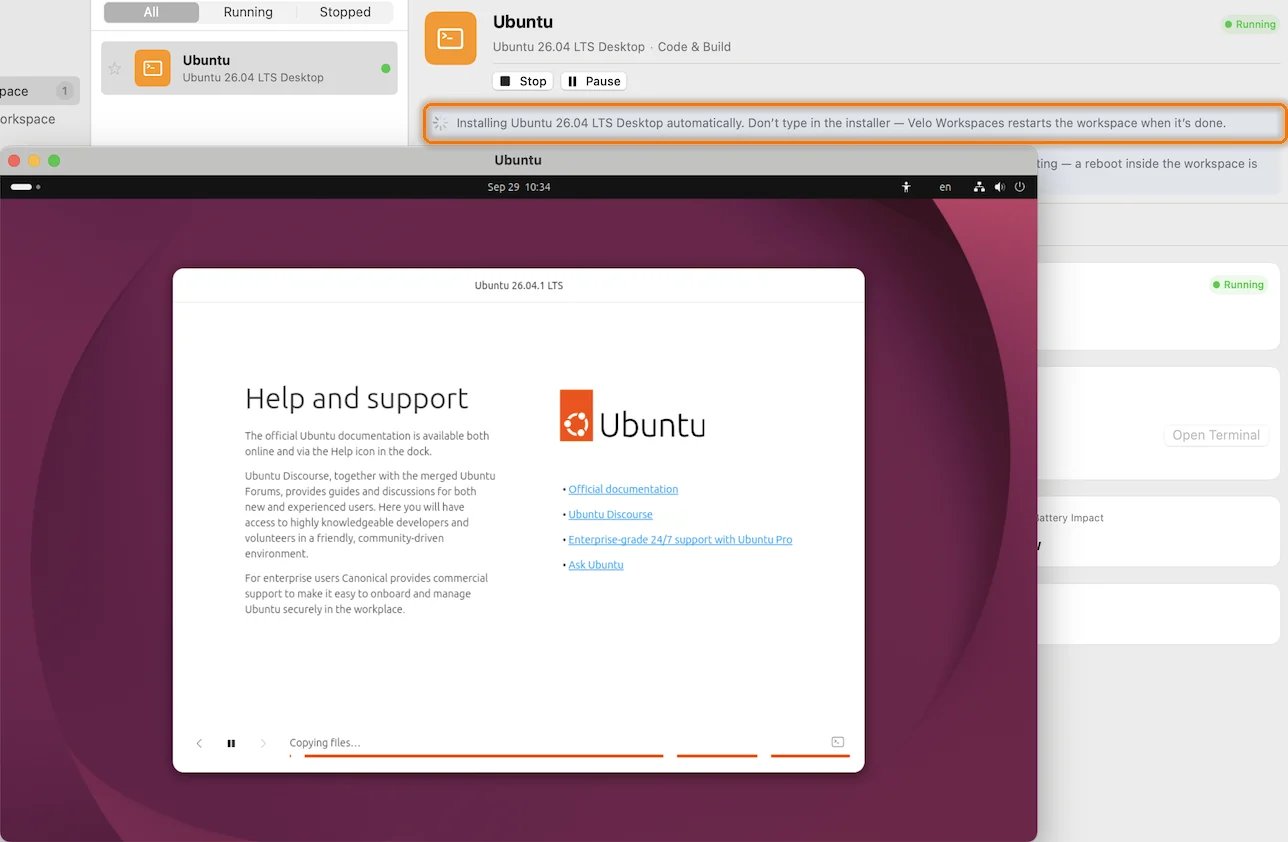
autoinstall on the kernel command line, no screen asks anything.Fedora and Rocky: kickstart, zero touch
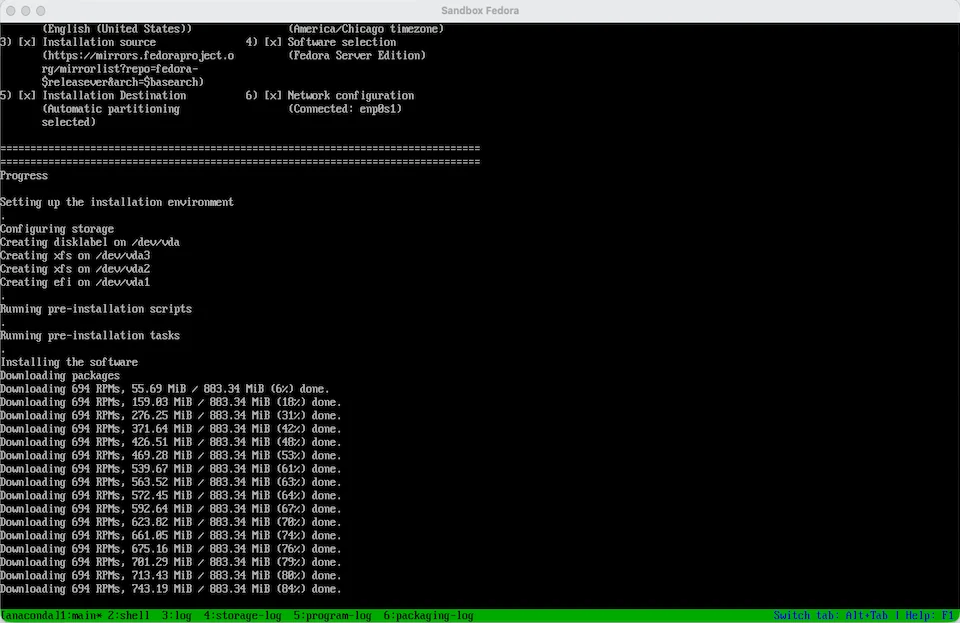
Anaconda needs no kernel argument at all. If it finds OEMDRV, it runs ks.cfg. Here's a kickstart for Fedora Server, again with placeholders:
text
lang en_US.UTF-8
keyboard --xlayouts=us
timezone Europe/Berlin --utc
network --bootproto=dhcp --device=link --activate --hostname=devbox
rootpw --lock
user --name=you --groups=wheel --iscrypted --password=$6$...
url --mirrorlist=https://mirrors.fedoraproject.org/mirrorlist?repo=fedora-$releasever&arch=$basearch
repo --name=updates --mirrorlist=https://mirrors.fedoraproject.org/mirrorlist?repo=updates-released-f$releasever&arch=$basearch
ignoredisk --only-use=vda
zerombr
clearpart --all --initlabel --drives=vda
autopart --type=plain --nohome
firstboot --disable
services --enabled=sshd
reboot

%packages
@^server-product-environment
openssh-server
%end

%post
install -d -m 700 -o you -g you /home/you/.ssh
cat >> /home/you/.ssh/authorized_keys <<'KEYS'
ssh-ed25519 AAAA... you@laptop
KEYS
chown you:you /home/you/.ssh/authorized_keys
chmod 600 /home/you/.ssh/authorized_keys
restorecon -R /home/you/.ssh || :
mkdir -p /etc/ssh/sshd_config.d
echo 'PasswordAuthentication no' > /etc/ssh/sshd_config.d/01-local.conf
%end
The lines that matter most:
ignoredisk --only-use=vda and clearpart --drives=vda. The ISO and the seed are disks too. Without these, Anaconda is free to consider them, and clearpart --all means what it says.
autopart --type=plain. Plain partitions rather than LVM, so growing the disk later is growpart and xfs_growfs, with no volume group to extend.
url and repo, only when the ISO has no packages. Fedora's netinst ISOs (Server and Everything) carry none and install from the network. Rocky's minimal and DVD images carry their own repositories, so for those you leave both lines out. For Rocky, the package line is @^minimal-environment.
The quoted heredoc delimiter, <<'KEYS'. Nothing inside it expands, so a key comment containing $ or a backtick arrives intact.
restorecon. Fedora and Rocky run SELinux in enforcing mode, and sshd won't read an authorized_keys file with the wrong label. Files created in %post don't always get the right one.
The 01- in 01-local.conf. sshd uses the first value it reads for each setting, and the distribution's own drop-ins sort after yours. Name yours to sort first.
 Click to enlarge
One message during the install looks alarming and isn't:
parse-kickstart WARNING: No device with link found for --device=link
parse-kickstart checks each interface's carrier early in the initramfs, before the network is up. It falls back to DHCP, and the setting is applied again later in the install, once the interface is up. You can ignore it. (It once sent me the wrong way: Why Fedora's ARM ISO wouldn't boot tells that story.)
The keyboard trap
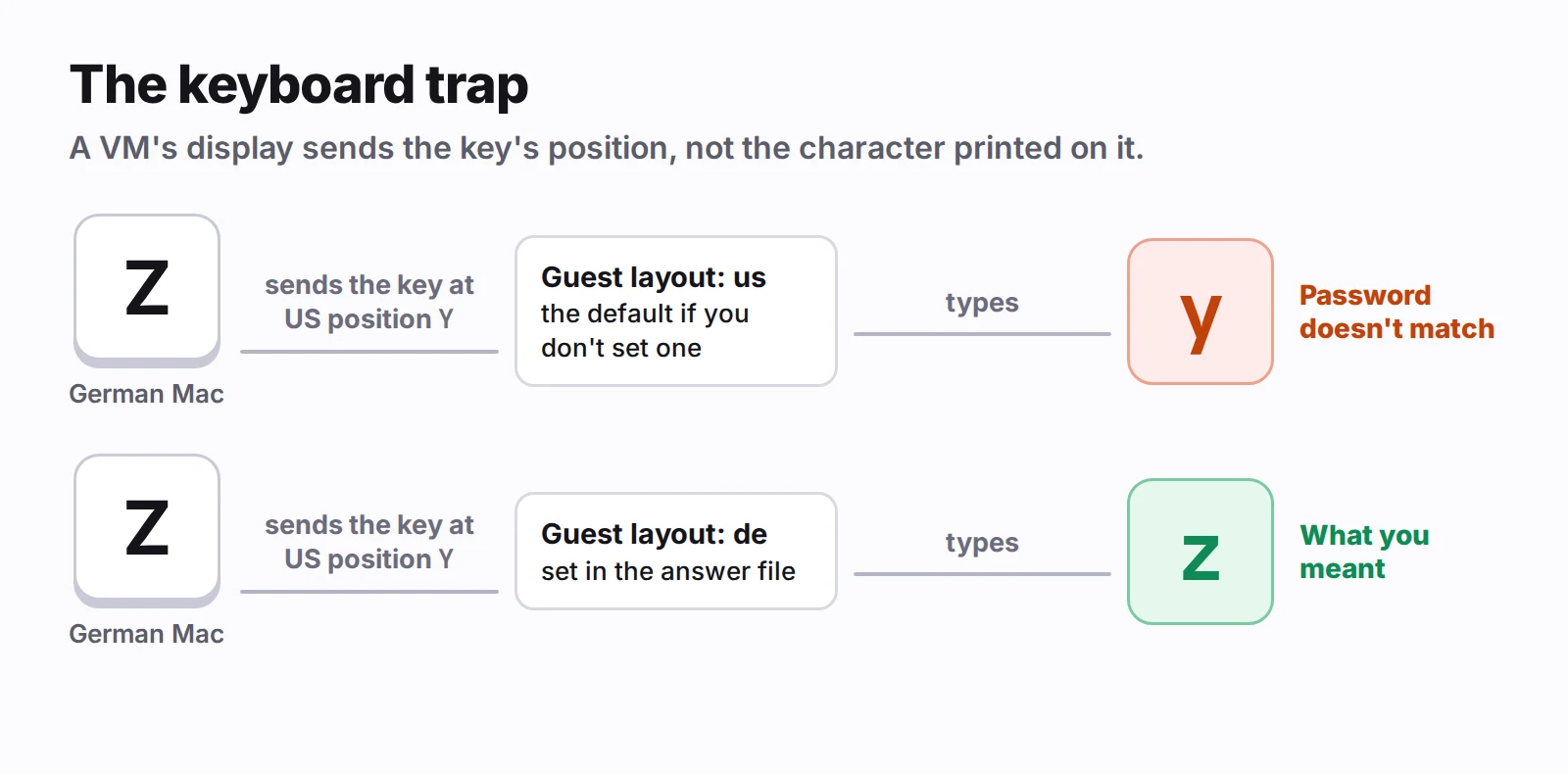
This one bit me after everything else worked. The install finished, the VM rebooted to a login prompt, and the password I'd set didn't work.
A VM's display passes on which key was pressed, not which character it makes. If the guest's keyboard layout differs from the host's, you type z and the guest gets y. On a German keyboard that breaks any password with a y or z in it, and the first place you notice is the first login.
 Click to enlarge
So the layout in the answer file has to match the keyboard on the machine you'll type from. I map the Mac's current input source to the X11 layout name both installers take: com.apple.keylayout.German becomes de, and a layout the table doesn't know becomes us.
Two more mapping rules came out of testing:
- Language. Chinese, Japanese and Korean get an English locale. The Linux console can't draw those scripts, and a server install has no fonts for them, so the login prompt would be a row of boxes.
- Time zone. Installers take IANA region names like
Asia/Shanghai. A zone that's only an offset becomesEtc/UTC.
Knowing when it's done
An unattended install is only useful if something knows it has finished. My first idea was to watch for the reboot, but a reboot doesn't prove success. Polling SSH works only once the installed system has booted with its network and sshd up, and it can't tell "still installing" from "failed".
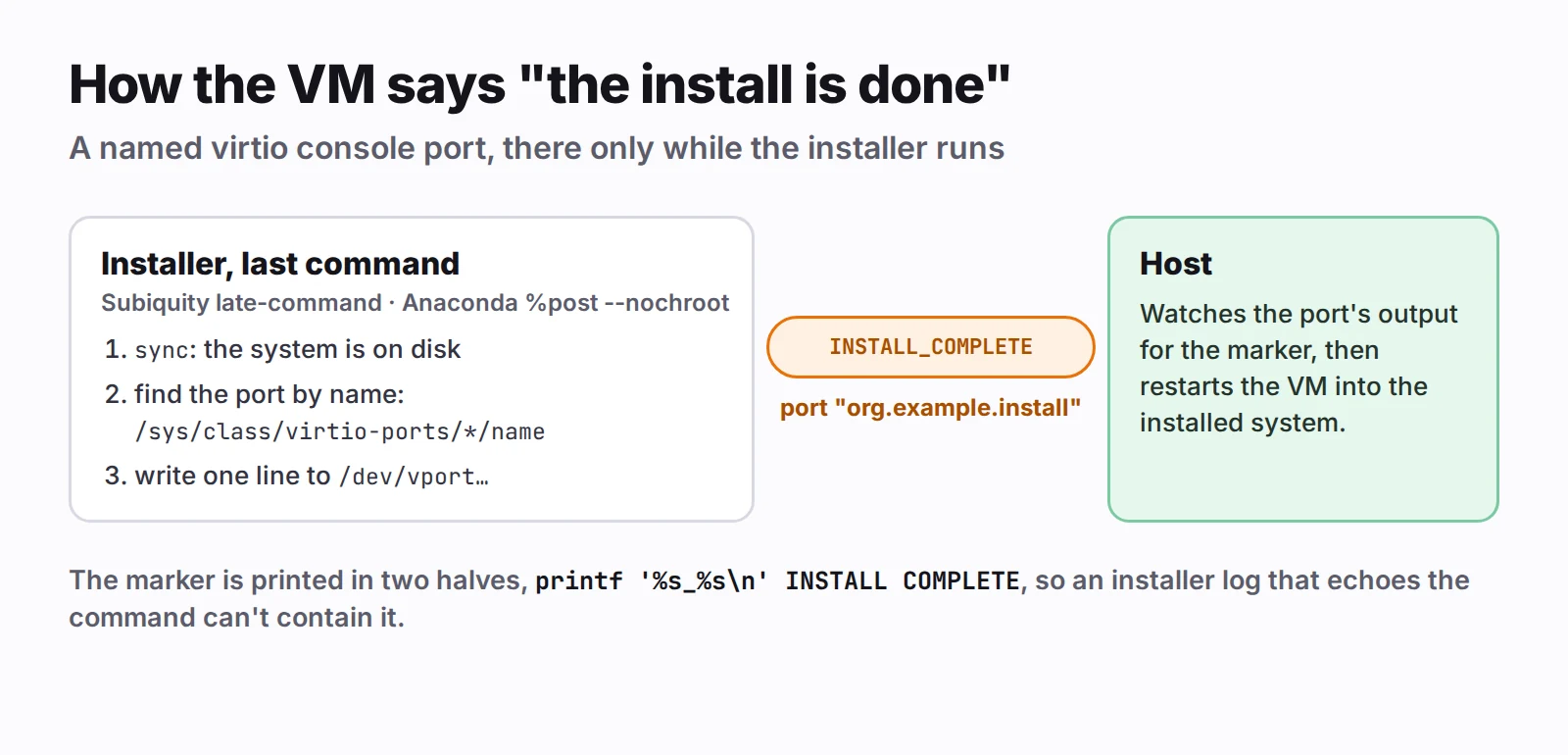
What I settled on is a named virtio console port. While the install runs, the VM gets an extra console port called, say, org.example.install. In QEMU that's a virtserialport with a name; in Apple's Virtualization framework, a VZVirtioConsolePortConfiguration with a name. The installer's very last command writes one line to it, and the host watches the other end:
sync
for p in /sys/class/virtio-ports/*; do
  if [ "$(cat "$p/name" 2>/dev/null)" = "org.example.install" ]; then
    printf '%s_%s\n' INSTALL COMPLETE > "/dev/${p##*/}"
  fi
done
true
In Subiquity it's the last entry in late-commands. In Anaconda it goes in a %post --nochroot section, so it runs in the installer's environment, where the port is.
 Click to enlarge
A few details in those lines are deliberate:
syncfirst. The marker means the installed system is on disk, not just that the installer is happy.- The port is found by name through sysfs. The kernel names it
vport0p1orvport1p1depending on device order, and the/dev/virtio-ports/symlinks need udev, which an installer environment may not have. - The marker is printed in two halves. Installers log the commands they run, sometimes to a console you may be watching. Written as
printf '%s_%s\n' INSTALL COMPLETE, the command's own text never containsINSTALL_COMPLETE, so the host can't see the marker before the command has actually run. trueat the end. If the port isn't there, an install that worked must not be reported as failed.
The host side is a reader that looks for the marker in the port's output, keeping a few bytes from each read in case the marker arrives split across two.
What I couldn't make work
Debian's installer. debian-installer finds a preseed file on its own only when it's inside the initrd. Anywhere else, it has to be pointed at the file, with a boot argument or a network server. A labelled seed disk isn't enough. For Debian, the cloud image is the better route anyway: it's unattended by design.
Skipping the firmware. I considered booting the installer's kernel directly with my own command line, which would make the kernel arguments trivial. It would also install a system with no EFI boot loader, because the installer would be running without UEFI, and that system wouldn't boot under UEFI afterwards. Editing GRUB in a copy of the ISO turned out to be simpler than it sounds.
The checklist
- Put the answers on a small disk labelled
CIDATA(Ubuntu) orOEMDRV(Anaconda). FAT or ISO 9660 both work. - Use a crypt hash for the password, never the password itself.
- For Ubuntu, add
autoinstall(andnoprompt) to the kernel command line, or it will ask before erasing anything. - Pin Anaconda to the target disk with
ignorediskandclearpart --drives. - Match the guest's keyboard layout to the one you'll type on.
- Have the installer's last command tell the host it's done, after a
sync.
If you're on a Mac and would rather not script any of this, Velo Workspaces does it from one form: pick the ISO, leave Automatic installation on, and come back to an installed system you can SSH into.