 Velo Workspaces
Real Linux VMs on your Mac, ready in about a minute.
Pick Ubuntu, Debian, Fedora or Rocky Linux, choose a username and password, and the workspace sets itself up from the distribution's official cloud image. Prefer the installer? Ubuntu, Fedora and Rocky Linux install on their own. When you're done, throw the workspace away, or hand it to an AI agent.
macOS 14 or later. Built for Apple silicon; Linux guests also run on Intel Macs. No account needed.
From nothing to a Linux shell, faster.
Version 1.2 is about the first few minutes: getting an image, getting it installed, and signing in.
Cloud images
Ubuntu, Debian, Fedora and Rocky Linux boot from their official cloud images and set themselves up on first boot with your username, password, SSH keys and disk size. No installer, usually ready in about a minute.
Automatic installs
Prefer the full installer? Ubuntu Server and Desktop, Fedora and Rocky Linux boot straight into installing, answer every question with your Mac's language, keyboard and time zone, and restart into the finished system.
Image Library
Official images in one place, downloaded from each project's own servers and checked against its published checksum. Pause and resume, reuse an image for every new workspace, or import an ISO or QCOW2 file you already have.
Built-in SSH terminalPro
Open Terminal signs in with a key your Mac keeps in its keychain and checks the workspace's host key. Tabs, text size and color schemes. The ssh command stays free, for Terminal, VS Code or another computer.
Read what's new in 1.2 →Step-by-step guides with screenshots →
Four jobs. Four profiles built for them.
Every workspace starts from a profile sized for the work ahead, with CPU, memory and storage set to match the job. Or configure your own.
Software Engineers
Build and test against a clean toolchain without touching your main machine, or reproduce a colleague's exact setup.
Code & Build profileQA Engineers
Run every test from the same known-good image, then throw the VM away. No snapshot to remember, no leftover state to doubt.
Disposable WorkspacesDevOps Professionals
Validate a deployment script, an install procedure, or a config change against a real, isolated Linux VM before it ships.
DevOps Lab profileAI Researchers
Build and test agents, tool-calling, and RAG pipelines in an isolated VM, against a model running on your own Mac.
AI Sandbox + AI BridgeBuilt around local AI, and environments you can afford to throw away.
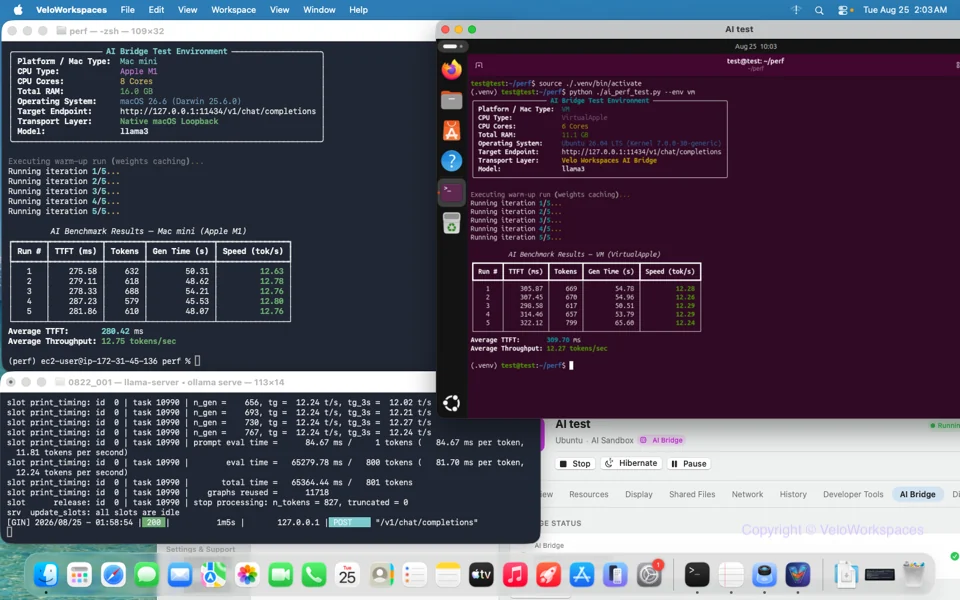
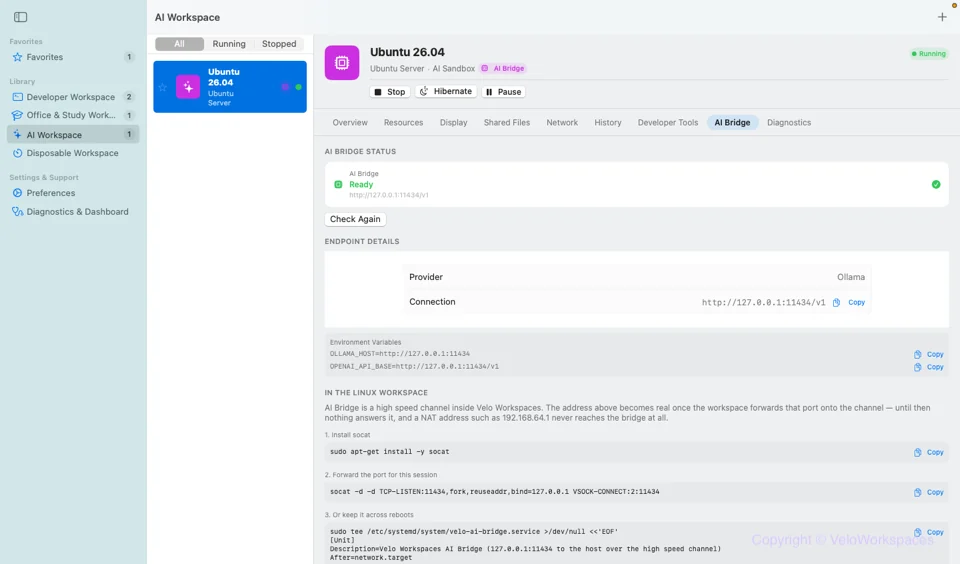
AI Bridge: local model inference, no cloud in the loopPro
Run inference on your Mac's own GPU and reach it from inside a workspace as a standard chat-completions endpoint, just like any local server. Build and test agents, tool calling and RAG pipelines against a model that never leaves the machine. No API keys, no usage costs, no data leaving your Mac.
- Works with local model servers such as Ollama and MLX
- Nothing is sent to Velo Workspaces or any third party
- AI Sandbox profile is sized for agent frameworks and tooling out of the box
Guides to set up local AI agents with MLX →
Measured on a Mac mini (Apple M4)
Qwen2.5-Coder 7B (Q4_K_M) on a Mac mini (Apple M4). Time-to-first-token and throughput are single-request averages over 5 runs; the concurrent-load figure uses 8 parallel clients (Ollama OLLAMA_NUM_PARALLEL=2). Results vary by model, Mac, and workload. See the full write-up →
Measured on a Mac mini (Apple M4)
Qwen2.5-Coder 7B (MLX, 4-bit) on a Mac mini (Apple M4). Time-to-first-token and throughput are single-request averages over 5 runs; the concurrent-load figures average 4 runs of 8 parallel clients each. MLX handles concurrent requests differently than Ollama, so results aren't directly comparable between tabs. Results vary by model, Mac, and workload. See the full write-up →
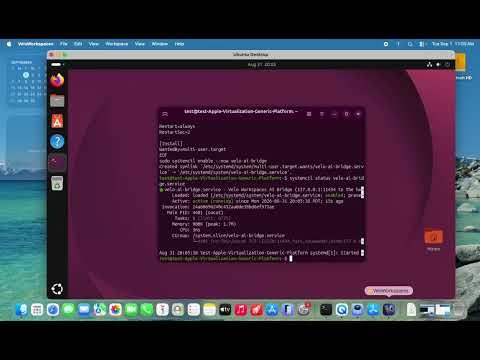
Watch AI Bridge in action
Disposable Workspaces: the way QA is supposed to workPro
Start a clean VM for exactly one test run, and it cleans up after itself when you close it. No snapshot to remember to delete, and no doubt about whether something left over from last time made a pass look real. Save a fully configured workspace (OS, packages, dotfiles, everything) as a base image once, then clone disposable workspaces from it in seconds with copy-on-write, so every test starts from the same known-good state.
- One click to save the current state as a reusable base image
- Instant cloning, with no reinstall before every run
- Manage saved base images from Preferences whenever you want to clean up
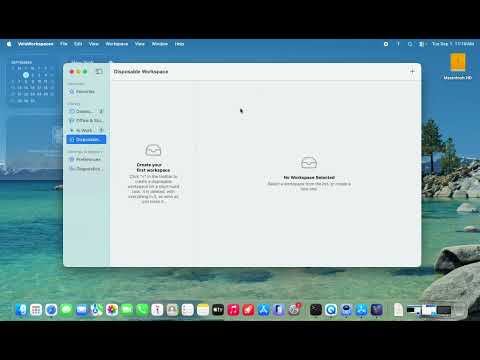
Watch a disposable workspace in action
Integrations that respect your actual toolchain.
Shared folders
Share folders from your Mac straight into a workspace: mounted automatically for macOS guests, with a copy-and-paste command for Linux.
SSH, VS Code and other computers
Copy an ssh command, open a generated VS Code Remote-SSH config, or reach a workspace from another computer on your network through your Mac with ssh -J.
Serial console
A console for debugging a Linux guest that never brings up a display or a network, with no SSH client needed.
Clipboard sharing
Copy and paste between your Mac and a Linux workspace like it's a window on your own desktop.
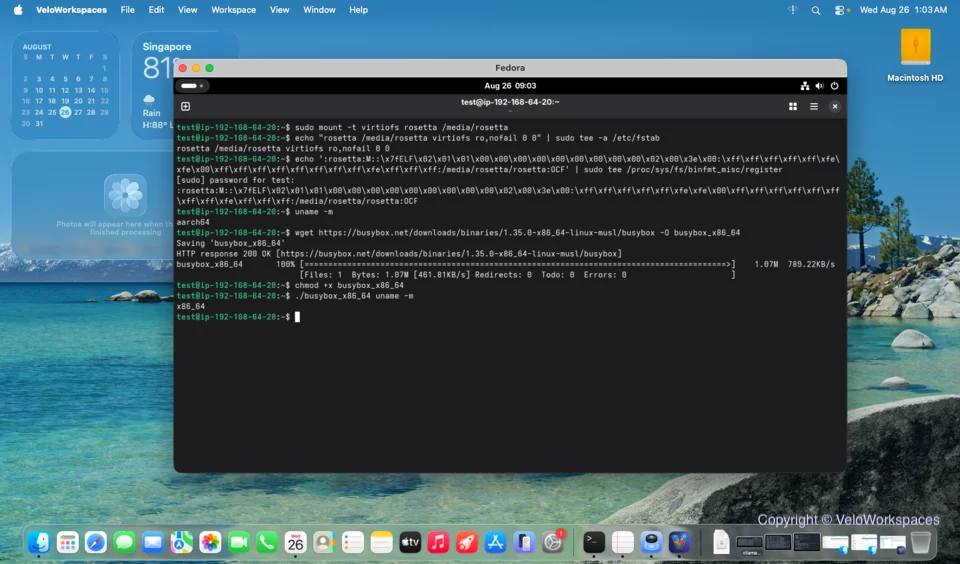
Rosetta 2 for LinuxPro
Run x86_64 Linux binaries at near-native speed on Apple Silicon, inside the workspace that needs them.
Pause & hibernate
Pause a workspace mid-task and pick up exactly where you left off, without leaving it running in the background.
Run the Linux you need.
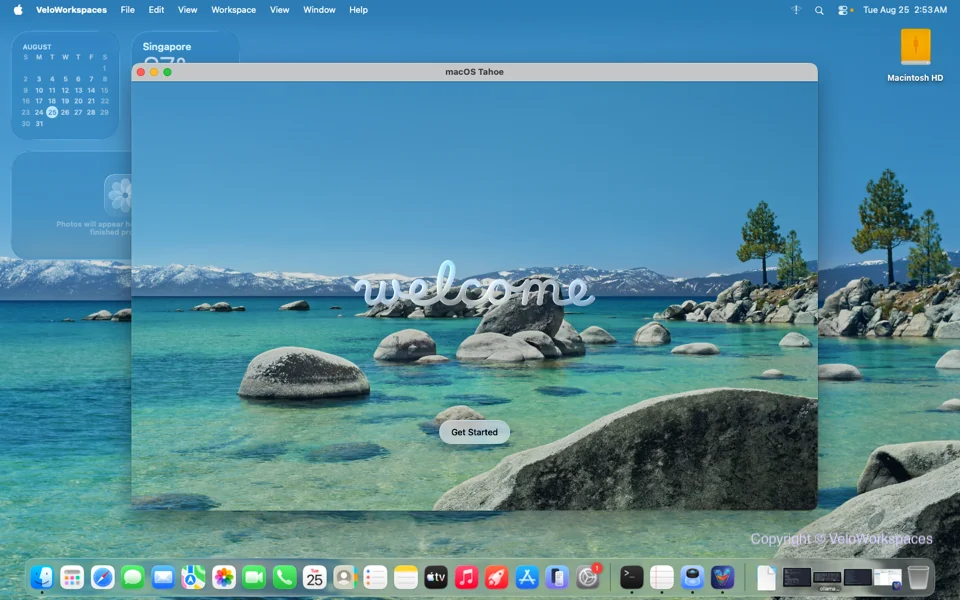
Official cloud images for Ubuntu, Debian, Fedora and Rocky Linux. Installers for those, plus Kali Linux, NixOS and Alpine. macOS guests on Apple silicon. Every image comes straight from the project's own servers.
Free to use. Pro when you need more.
Creating and running Linux and macOS workspaces is free, cloud images and automatic installs included. Pro adds the built-in terminal, AI Bridge and the tools for throwaway environments. Try it free for a week.
$0
No account, no sign-in, no time limit.
- Unlimited Linux and macOS workspaces
- Cloud images, automatic installs and the Image Library
- Console, shared folders, SSH, VS Code Remote
- Restore and delete existing restore points
- Create a workspace from an existing base image
- Diagnostics export
$3.99/month
7-day free trialOr $24.99/year, or $79.99 once for life.
- Built-in SSH terminal, signed in with your Mac's key, with tabs and color schemes
- AI Bridge: reach a model running on your Mac from inside a workspace
- Restore points: snapshot a workspace before you break it, then roll back
- Disposable workspaces that delete themselves when you close them
- Base images: save a configured disk and start new workspaces from it in seconds
- Rosetta: run x86-64 Linux binaries on Apple silicon
Private and local by default.
No account, and no cloud dependency for anything a workspace does. No usage data or crash reports are collected. Everything, the guest OS, your files and your models, stays on your Mac. Read the full privacy policy.
Treat a clean environment as a first-class workflow.
Whether you're debugging an AI agent against a local model or running the same automated test suite a hundred times a day, Velo Workspaces is built for it.
Download on theApp Store